ASP Classic Multiple CAPTCHAs VBScript Code Sample (BotDetect v3.0; deprecated)
The ASP Classic Multiple Captchas code sample shows how to have multiple BotDetect Classic ASP Captcha protected pages within the same ASP application.
First Time Here?
Check the BotDetect Developer Crash Course for key integration steps.
As long as the CAPTCHA instances have different names ("Captcha1" and "Captcha2" in the sample), they can have completely separate settings and won't interfere with each other's validation.
Even if a user opens the same page in multiple browser tabs, each tab will properly validate the shown CAPTCHA code.
Installed Location
By default, the Classic ASP multiple Captchas code sample is installed at:
C:\Program Files\Lanapsoft\BotDetect 3 CAPTCHA Component\Asp\WebApp\AspMultipleCaptchasSample
You can also run it from the BotDetect Start Menu:
Programs > Lanapsoft > BotDetect 3 CAPTCHA Component > ASP > Web Applications > Run
Default.asp
<!DOCTYPE html PUBLIC "-//W3C//DTD XHTML 1.0 Strict//EN"
  "http://www.w3.org/TR/xhtml1/DTD/xhtml1-strict.dtd">

<html xmlns="http://www.w3.org/1999/xhtml" >
<head>
  <title>Multiple BotDetect CAPTCHAs ASP Sample</title>
  <link type="text/css" rel="Stylesheet" href="StyleSheet.css" />
  <meta http-equiv="Content-Type" content="text/html; charset=UTF-8" />
  <!-- #include file ="BotDetect.asp" -->
</head>
<body>
  <form method="post" action="" id="form1">

    <h1>Multiple BotDetect CAPTCHAs ASP Sample</h1>

    <h2>Page 1</h2>

    <fieldset>
        <legend>ASP CAPTCHA validation</legend>
        <label for="CaptchaCode1">Retype the characters from the
        picture:</label>

        <% ' Adding BotDetect CAPTCHA to the page
          Dim Captcha1 : Set Captcha1 = (New Captcha)("Captcha1")
          Captcha1.UserInputID = "CaptchaCode1"
          Captcha1.ImageStyleName = "Bullets2"
          Captcha1.CodeStyleName = "Numeric"
          Captcha1.CodeLength = 6
          Captcha1.SoundStyleName = "Radio"
          Response.Write Captcha1.Html %>

        <div class="validationDiv">
            <input name="CaptchaCode1" type="text" id="CaptchaCode1" />
            <input type="submit" name="ValidateCaptchaButton"
            value="Validate" id="ValidateCaptchaButton" />

            <% ' CAPTCHA user input validation (only if the form was
            submitted)
              If Request.ServerVariables("REQUEST_METHOD") = "POST"
              Then
                Dim isHuman : isHuman = Captcha1.Validate()
                If Not isHuman Then
                  ' CAPTCHA validation failed, show error message
                  Response.Write "<span class=""incorrect"">Incorrect
                  code</span>"
                Else
                  ' CAPTCHA validation passed, perform protected
                  action
                  Response.Write "<span class=""correct"">Correct code
                  </span>"
                End If
              End If
            %>
        </div>
    </fieldset>

  </form>
</body>
</html>
The form follows the basic procedure for Captcha parameter settings.
Page2.asp
<!DOCTYPE html PUBLIC "-//W3C//DTD XHTML 1.0 Strict//EN"
  "http://www.w3.org/TR/xhtml1/DTD/xhtml1-strict.dtd">

<html xmlns="http://www.w3.org/1999/xhtml" >
<head>
  <title>Multiple BotDetect CAPTCHAs ASP Sample</title>
  <link type="text/css" rel="Stylesheet" href="StyleSheet.css" />
  <meta http-equiv="Content-Type" content="text/html; charset=UTF-8" />
  <!-- #include file ="BotDetect.asp" -->
</head>
<body>
  <form method="post" action="" id="form1">

    <h1>Multiple BotDetect CAPTCHAs ASP Sample</h1>

    <h2>Page 2</h2>

    <fieldset>
        <legend>ASP CAPTCHA validation</legend>
        <label for="CaptchaCode2">Retype the characters from the
        picture:</label>

        <% ' Adding BotDetect CAPTCHA to the page
          Dim Captcha2 : Set Captcha2 = (New Captcha)("Captcha2")
          Captcha2.UserInputID = "CaptchaCode2"
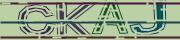
          Captcha2.ImageStyleName = "Strippy"
          Captcha2.CodeStyleName = "AlphaNumeric"
          Captcha2.CodeLength = 4
          Captcha2.SoundStyleName = "Pulse"
          Response.Write Captcha2.Html %>

        <div class="validationDiv">
            <input name="CaptchaCode2" type="text" id="CaptchaCode2" />
            <input type="submit" name="ValidateCaptchaButton"
            value="Validate" id="ValidateCaptchaButton" />

            <% ' CAPTCHA user input validation (only if the form was
            submitted)
              If Request.ServerVariables("REQUEST_METHOD") = "POST"
              Then
                Dim isHuman : isHuman = Captcha2.Validate()
                If Not isHuman Then
                  ' CAPTCHA validation failed, show error message
                  Response.Write "<span class=""incorrect"">Incorrect
                  code</span>"
                Else
                  ' CAPTCHA validation passed, perform protected
                  action
                  Response.Write "<span class=""correct"">Correct code
                  </span>"
                End If
              End If
            %>
        </div>
    </fieldset>

  </form>
</body>
</html>
This form uses the same approach as the first one; as long as the Captcha identifier is different than the one used there (Captcha2 on this form vs. Captcha1 there), the Captcha object settings can be completely different. Validation of the two Captcha instances will also work completely independently.
Please Note
The information on this page is out of date and applies to a deprecated version of BotDetect™ CAPTCHA (v3.0).
An up-to-date equivalent page for the latest BotDetect Captcha release (v4) is BotDetect v4 Captcha documentation index.
General information about the major improvements in the current BotDetect release can be found at the What's New in BotDetect v4.0 page.
Current BotDetect Versions
-
BotDetect ASP.NET CAPTCHA
2019-07-22v4.4.2 -
BotDetect Java CAPTCHA
2019-07-22v4.0.Beta3.7 -
BotDetect PHP CAPTCHA
2019-07-22v4.2.5